Whether you work from an office or from home, spending hours at your desk can take a toll on your body. An uncomfortable setup can lead to aching hands, wrists, arms, and even shoulders, making it harder to stay focused and productive throughout the day.
That’s why choosing the right mouse is so important. The right mouse isn’t just about clicking—it’s about comfort, ergonomics, speed, and features that suit the way you work. Whether you need extra programmable buttons, a lightweight design, or an ergonomic shape to reduce strain, finding the perfect fit can make a real difference.
That’s where we come in. To save you time and protect your wrists, we researched, tested, and compared the top options on the market. Whether you’re a spreadsheet wizard or just trying to get through the workday pain-free, here are the 10 best wireless office mice of 2026 for every budget and working style.”
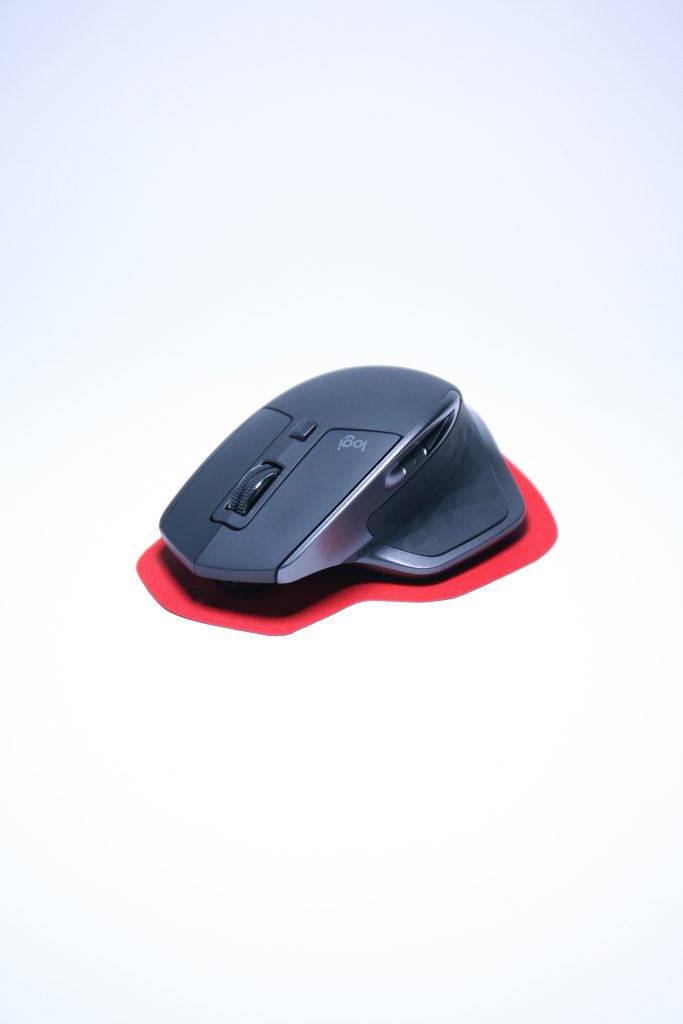
1. Logitech MX Master 4 – The Absolute Best Overall Pick
The Quick Verdict: If you have the budget, just buy this mouse and don’t look back. It is widely considered the undisputed king of office productivity, offering unparalleled comfort and advanced shortcuts that will save you hours of screen time.
Why We Love It:
- MagSpeed Infinite Scroll: The premium magnetic wheel can spin completely free, letting you fly through thousands of Excel rows or endless documents in a single flick.
- New Haptic Feedback & Actions Ring: The latest MX Master 4 model introduces subtle tactile vibrations and a smart on-screen shortcut ring, allowing you to instantly pull up your favorite tools or AI shortcuts without searching through menus.
- Tracks on Literal Glass: Powered by a high-precision 8,000 DPI sensor, it glides seamlessly across any surface—even a glass boardroom table—without needing a mousepad.
- 70-Day Battery Life: A single charge via USB-C lasts up to over two months, and a quick 1-minute emergency charge gives you a full day of power.
The Cons:
- Right-Handed Only: The highly sculpted, ergonomic shape is strictly engineered for right-handed users; lefties are completely out of luck.
- Heavy and Bulky: Weighing 150g, it is built to be a solid anchor on your desk, meaning it’s not the ideal choice to throw into a compact backpack for daily commuting.
2. Razer Pro Click V2 – The Best High-Performance Alternative
The Quick Verdict: If you want a mouse that effortlessly handles massive spreadsheets by day but switches to high-speed gaming by night, the Razer Pro Click V2 is a flawless choice. It pairs gaming-grade precision with an incredibly sleek, corporate design.
Why We Love It:
- Smart AI Shortcuts: The standout feature for 2026 is Razer’s “AI Prompt Master”. You can program the mouse buttons to instantly pull up ChatGPT or Copilot, summarize long blocks of text, or draft emails with a single click.
- Insane Precision: It packs a gaming-grade 30,000 DPI optical sensor. It tracks flawlessly on any surface, including glass boardroom tables, giving you ultra-smooth control.
- Multi-Device Pairing: It can connect to up to 5 devices at once (via Bluetooth, wireless dongle, or cable), letting you jump from your work PC to your personal laptop instantly with a button tap.
- Ergonomic Day-Long Comfort: Designed in partnership with top office ergonomic experts, it features an extended thumb rest that prevents your hand from dragging along the desk during long shifts.
The Cons:
- Software Reliant: To set up your custom AI macros and button shortcuts, you must install the Razer Synapse software, which some locked-down corporate work laptops block you from downloading.
- Fewer Colors: Unlike its predecessors, it is currently highly limited in color options, so you have to love the primary aesthetic.
3. Logitech Lift Vertical – The Best Ergonomic Pick (Small to Medium Hands)
The Quick Verdict: If your wrist throbs or your fingers tingle after a long day of typing, this mouse is your solution. It flips the traditional flat mouse design on its side, placing your hand into a relaxed, natural posture that immediately takes the pressure off your joints.
Why We Love It:
* The 57-Degree “Handshake” Grip: The unique upright shape allows your hand, wrist, and forearm to rest at a 57-degree angle. This mimics a natural handshake position, which heavily reduces muscle fatigue and prevents carpal tunnel flare-ups.
- Whisper-Quiet Clicking: The mechanical switches are heavily dampened to be completely silent. If you work in a quiet office or don’t want to wake up a sleeping baby in the house, these silent clicks are a massive blessing.
- 2-Year Battery Life: It runs on a single, simple AA battery. Because it uses ultra-low energy Bluetooth and Bolt wireless tech, that single battery will last up to an incredible 24 months before you need to swap it.
- SmartWheel Scrolling: The magnetic scroll wheel automatically senses how hard you flick it. It switches instantly from precise line-by-line scrolling to high-speed momentum scrolling for massive documents
The Cons:
* Not for Large Hands: Logitech specifically engineered the Lift for small-to-medium hand sizes. If you have particularly large hands, your fingers will hang off the front, and you’ll want to look at its bigger brother (the MX Vertical) instead.
- No USB-C Recharging: Because it relies on a replaceable AA battery, you cannot plug it into a cable to charge it.
4. Razer Pro Click V2 Vertical – Best Premium Vertical Pick (For Large Hands)
The Quick Verdict: If you love the idea of the handshake-style ergonomic posture but found the Logitech Lift a bit too small or cramped, this is your perfect match. It offers premium, high-end desk aesthetics with an uncompromised focus on joint health.
Why We Love It:
- Pro-Grade Ergonomics: Designed alongside global orthopedic experts, its 60-degree tilt completely eliminates wrist pronation (the flattening of the wrist that pinches nerves over long workdays).
- Generous Sizing: Unlike more compact vertical mice, this features an expansive contoured body and a wide thumb rest, allowing users with larger hands to relax their grip fully.
- Ultra-Smooth Control: It features Razer’s top-tier optical sensor and silent switches, meaning you get incredible accuracy across multiple screens without any annoying clicking noises.
- USB-C Rechargeable: No hunting around for batteries. It charges rapidly via USB-C and lasts up to 100 hours of continuous use on a single charge.
The Cons:
- Premium Price Tag: It sits firmly at the higher end of the price spectrum, making it a serious investment in your workspace comfort.
- Steep Learning Curve: If you have never used a vertical mouse before, reaching sideways for it can feel a bit strange for the first 3 to 4 days.
5. Logitech MX Ergo S – The Ultimate Choice for Carpal Tunnel & Severe Wrist Pain
The Quick Verdict: This is the mouse you buy when your doctor or physical therapist tells you to stop moving your arm. Because it uses a stationary trackball, your wrist and forearm stay completely still all day long, making it the absolute best choice for managing severe carpal tunnel syndrome.
Why We Love It:
- Zero Wrist Movement Required: Instead of sliding the whole mouse across your desk, the MX Ergo S stays entirely in one spot. You control the computer screen purely by rolling a smooth, highly precise ball with your thumb.
- Adjustable 20-Degree Hinge: A unique magnetic base plate allows you to tilt the entire mouse from 0 to 20 degrees. This lets you customize the exact angle that takes the pressure off your median nerve.
- Saves Desk Space: Because the mouse never physically moves an inch, you don’t need a mousepad, and you can use it perfectly on tiny, cluttered desks or even balanced on your armrest.
- Advanced Flow Control: Features Logitech’s 2026 software suite, letting you smoothly move your mouse cursor across two different computers and even copy-paste files between them.
The Cons:
- Thumb Fatigue at First: Because your thumb does 100% of the moving, your thumb muscles might feel a little tired during your first week of transitioning to it.
- Requires Quick Cleaning: Every few weeks, you have to pop the trackball out (takes 5 seconds) to wipe away any dust or pocket lint that gets trapped inside the rollers.
The Smart Budget Picks (Under £50)
6. Keychron M7 – The Best Value Productivity Mouse
The Quick Verdict: If you want premium, high-end office features but don’t want to pay the “Logitech Tax,” the Keychron M7 is an absolute steal. It is an incredibly lightweight, ergonomic mouse that punches way above its price tag.
Why We Love It:
- Feather-Light Design: Weighing just 66 grams, it glides across your desk effortlessly. This drastically reduces wrist strain over long workdays because you aren’t dragging a heavy piece of plastic around.
- Top-Tier Precision: It uses a high-end PixArt gaming sensor, meaning the cursor tracking is incredibly precise—perfect for working on detailed design projects or complex spreadsheets.
- Great Ergonomics: It features a comfortable side flare and a dedicated thumb rest, which mimics the posture of much more expensive office mice.
- Triple Connectivity: You can connect it via Bluetooth, a high-speed wireless USB dongle, or a traditional USB-C cable.
The Cons:
- Wired Recharging Only: Unlike premium options that offer charging docks, you have to plug this one into a cable when the battery runs down.
- Basic Software: The web-based customization app works perfectly, but it isn’t quite as polished or automated as Logitech’s software suite.
7. Logitech Signature M750 AI Edition – Best Budget Smart Mouse
The Quick Verdict: This is the ultimate “smart” mouse for the modern remote worker. It packs quiet clicks, comfortable rubber grips, and dedicated AI shortcut capabilities into a highly compact, affordable package.
Why We Love It:
- Dedicated AI Shortcut Button: This 2026 model allows you to program its buttons to immediately open up AI tools, auto-summarize long articles, or draft email replies in seconds.
- SilentTouch Technology: Logitech’s silent switches eliminate 90% of clicking noises. It’s perfect if you work late at night next to a sleeping baby or in a quiet coffee shop.
- SmartWheel Precision: Features an adaptive scroll wheel that automatically switches from precise line-by-line scrolling to rapid, free-spinning scrolling when you flick it.
- Sizing Options: It comes in two physical sizes (the standard M750 for small-to-medium hands, and the M750 L for larger hands), ensuring you get a comfortable fit.
The Cons:
- No Dedicated Thumb Wheel: Unlike the premium MX Master series, you don’t get a side scroll wheel for horizontal scrolling across wide spreadsheets.
- Requires AA Battery: It runs on a single replaceable AA battery rather than being internally rechargeable, though that one battery does last up to two full years.
8. Logitech M510 – The Reliable Budget Workhorse
The Quick Verdict: The Logitech M510 is the definition of “if it ain’t broke, don’t fix it.” It has been one of the best-selling budget office mice for years because it is durable, comfortable, and simply refuses to break.
Why We Love It:
- Full-Sized Comfort: A traditional, contoured shape with soft rubber side grips that naturally supports your palm for basic, all-day desktop use.
- Incredible Durability: Built like a tank. You can drop it in your laptop bag, travel with it, or accidentally knock it off your desk without worrying about damaging it.
- 2-Year Battery Life: It runs on two standard AA batteries and manages power so efficiently that you will completely forget it even needs batteries.
- Plug-and-Play Simplicity: No accounts to create, no software to download, and no AI setups. You just plug the tiny USB receiver into your computer, and it works instantly.
The Cons:
- No Bluetooth: It requires a traditional USB-A port for its wireless dongle. If you use a modern, thin laptop that only has USB-C ports, you will need an adapter.
- Not Silent: It features old-school mechanical switches, so you will hear a distinct “click” every time you press a button.
The Travel & Minimalist Picks
9. Logitech Pebble 2 M350s – Best Ultra-Portable Mouse
The Quick Verdict: If your workspace constantly changes—from coffee shops and trains to hot-desking at the office—the Pebble 2 is your perfect companion. It is an ultra-slim, pebble-shaped mouse designed specifically to slip into a pocket or a tight laptop sleeve without leaving a bulge.
Why We Love It:
- Extremely Low Profile: Its completely flat design makes it the most portable mouse on the market. It takes up almost zero space in your daily bag.
- Silent Clicks: Equipped with SilentTouch technology, it removes 90% of click noise. You can work in a quiet library or a cramped commuter train without annoying the people sitting next to you.
- Easy-Switch Bluetooth: It can pair with up to 3 devices simultaneously via Bluetooth (like your laptop, iPad, and phone). You can jump between them instantly with a quick button tap on the bottom.
- Eco-Friendly Build: The sleek plastic chassis is made from over 50% recycled materials, making it a great option for eco-conscious buyers.
The Cons:
- Not for 8-Hour Desktop Shifts: Because it is completely flat, it lacks a contoured palm rest. It’s brilliant for short travel bursts but isn’t built for a grueling full day at a fixed desk.
- No Side Buttons: To keep the design as minimalist as possible, it does not feature back/forward side buttons for quick web browsing.
10. Microsoft Modern Mobile Mouse – Best Minimalist Pick
The Quick Verdict: If you want a clean, minimalist aesthetic that looks beautiful alongside a premium laptop, this is it. Microsoft’s Modern Mobile Mouse offers a flawless blend of clean design, high-end materials, and budget-friendly pricing.
Why We Love It:
- Premium Metal Scroll Wheel: Unlike most budget travel mice that use cheap rubber wheels, this features a beautifully machined metal wheel that feels incredibly crisp and premium under your fingertip.
- BlueTrack Tracking Technology: Microsoft’s proprietary sensor allows this mouse to track perfectly on almost any surface—including rough wooden picnic benches, granite countertops, or even carpet.
- Lightweight and Durable: Weighing just 78 grams (including batteries), it feels incredibly light in the hand but handles the bumps and scrapes of travel without a scratch.
- Pure Bluetooth Connection: It connects directly to your laptop’s built-in Bluetooth, meaning you never have to worry about losing a tiny USB wireless dongle.
The Cons:
- Very Flat Profile: Similar to the Pebble, users who prefer a high arch to rest their palm on will find this too low to the ground.
- Requires AAA Batteries: It runs on two standard AAA batteries rather than being rechargeable via a USB cable.
Which Office Mouse Should You Choose?
Finding the perfect office mouse ultimately comes down to your budget and your daily pain points.
- If you want the absolute best of the best and have the budget for it, go with the Logitech MX Master 4.
- If your wrist is hurting and you want to prevent carpal tunnel flare-ups, invest in the Logitech Lift (for smaller hands) or the Logitech MX Ergo S trackball to stop wrist movement completely.
- If you just need a highly reliable, great-feeling mouse for under £50, the Keychron M7 is the absolute value champion of the year.